> ## Documentation Index
> Fetch the complete documentation index at: https://docs.spark.money/llms.txt
> Use this file to discover all available pages before exploring further.
# Privacy Mode
> Hide your transaction history from public view
export const Method = ({children, className = ""}) => {
return
{children}
;
};
 ***
## Overview
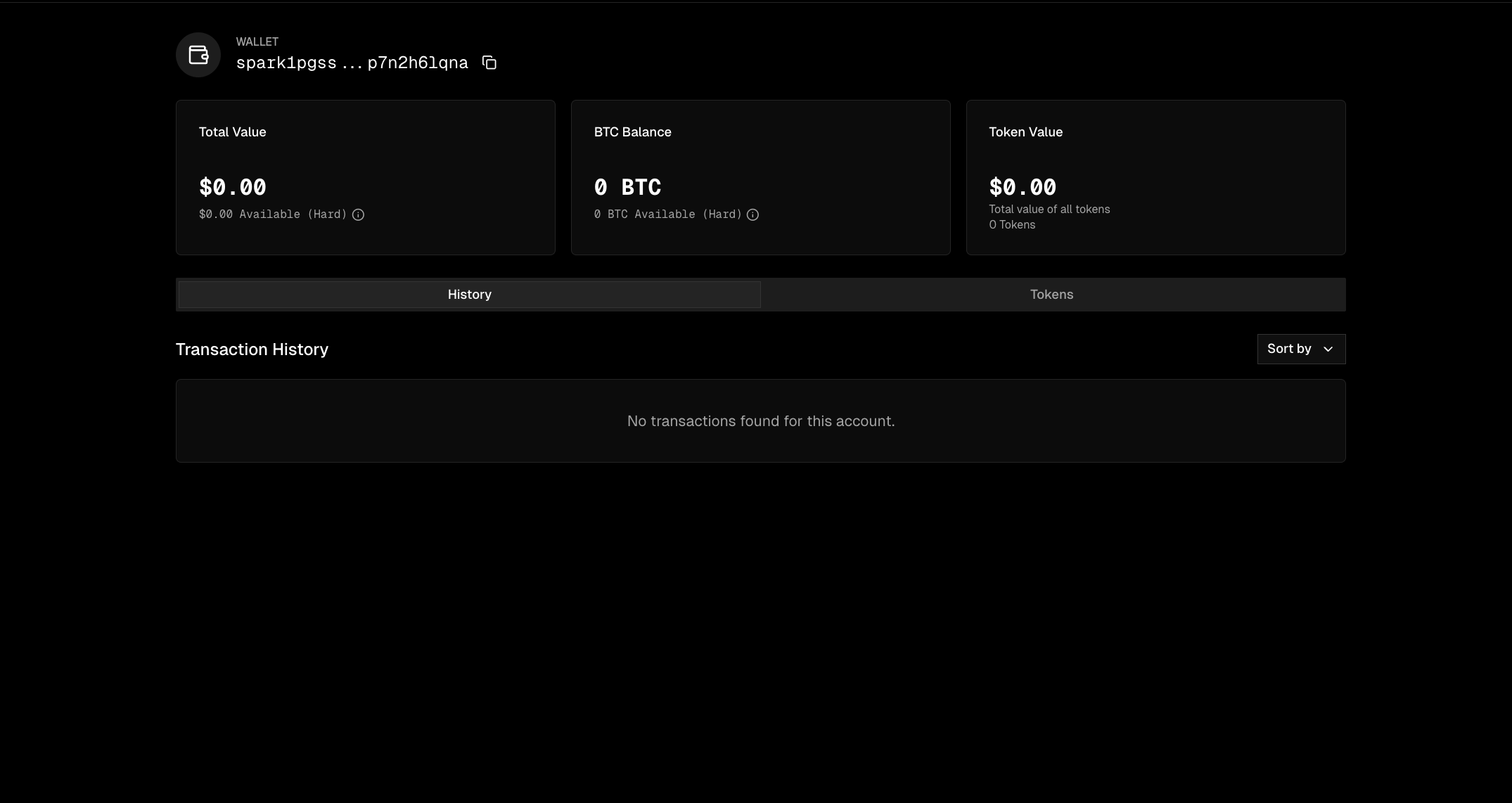
Make your wallet fully private with a single call. By default, Spark transactions are visible from public endpoints. When you enable privacy mode, your transaction history becomes invisible.
Privacy mode currently applies to Bitcoin transactions only. Token transactions remain visible.
***
## Enable Privacy Mode
setPrivacyEnabled()
Toggle privacy mode on or off for your wallet.
```typescript Enable Privacy theme={null}
import { SparkWallet } from "@buildonspark/spark-sdk";
const { wallet } = await SparkWallet.initialize({
mnemonicOrSeed: "your mnemonic here",
options: { network: "MAINNET" }
});
// Enable privacy mode
await wallet.setPrivacyEnabled(true);
console.log("Privacy mode enabled. Your transactions are now hidden.");
```
```typescript Disable Privacy theme={null}
// Disable privacy mode (make transactions public again)
await wallet.setPrivacyEnabled(false);
console.log("Privacy mode disabled. Transactions are now publicly visible.");
```
`true` to hide transactions from public view, `false` to make them visible.
The updated wallet settings, including the new privacy state.
***
## Check Current Settings
getWalletSettings()
Query your wallet's current privacy configuration.
```typescript theme={null}
const settings = await wallet.getWalletSettings();
if (settings?.privateEnabled) {
console.log("Privacy mode is ON");
} else {
console.log("Privacy mode is OFF");
}
```
Whether privacy mode is currently enabled.
The wallet's identity public key.
***
## How It Works
When privacy mode is enabled:
1. Block explorers see nothing. Your address and transactions won't appear publicly.
2. Public APIs return empty. Third parties querying your address get no results.
3. You retain full access. Your wallet can still query all your transactions normally.
Privacy mode controls query visibility, not on-chain data. Your funds remain fully secure and self-custodial regardless of this setting.
***
## Maintaining Read Access
When privacy is enabled, the [Wallet Viewer](/wallets/readonly-client) public client returns empty results. Two options for keeping visibility:
### Master Key
A wallet with privacy enabled can specify a master key that always has read access, even when privacy is on. Use [`createWithMasterKey()`](/api-reference/readonly/create-with-master-key) with the wallet's mnemonic to query balances, transfers, and transaction history as normal.
This is useful for server-side dashboards or support tooling where you need to see wallet activity without initializing the full wallet.
### Webhooks
As of SDK `0.7.2`, wallets can register webhooks to get notified when events complete. This is useful for push notifications — you don't need to poll and you don't need read access to the wallet's transaction history.
```typescript theme={null}
// Register a webhook
await wallet.registerSparkWalletWebhook({
secret: "16-char-secret00", // 16 character secret for verifying webhook origin
url: "https://your-server.com/webhook",
eventTypes: [
"SPARK_LIGHTNING_RECEIVE_FINISHED",
"SPARK_LIGHTNING_SEND_FINISHED",
"SPARK_COOP_EXIT_FINISHED",
"SPARK_STATIC_DEPOSIT_FINISHED",
],
});
// List registered webhooks
const webhooks = await wallet.listSparkWalletWebhooks();
// Delete a webhook by ID
await wallet.deleteSparkWalletWebhook({ id: webhooks[0].id });
```
**Limits:** Up to 5 webhooks per wallet. URLs and event types are unique — registering the same URL with the same event on the same wallet won't create a duplicate. Once you hit 5, the oldest webhook gets evicted (FIFO).
For Lightning receives, the webhook fires on the **creator** of the invoice, not the receiver. If wallet A creates an invoice on behalf of wallet B, only wallet A's webhooks get the `SPARK_LIGHTNING_RECEIVE_FINISHED` event.
***
## API Reference
```typescript theme={null}
// Enable or disable privacy mode
await wallet.setPrivacyEnabled(privacyEnabled: boolean): Promise
// Query current wallet settings
await wallet.getWalletSettings(): Promise
```
**WalletSettings Type:**
```typescript theme={null}
interface WalletSettings {
privateEnabled: boolean;
ownerIdentityPublicKey: string;
}
```
***
## Overview
Make your wallet fully private with a single call. By default, Spark transactions are visible from public endpoints. When you enable privacy mode, your transaction history becomes invisible.
Privacy mode currently applies to Bitcoin transactions only. Token transactions remain visible.
***
## Enable Privacy Mode
setPrivacyEnabled()
Toggle privacy mode on or off for your wallet.
```typescript Enable Privacy theme={null}
import { SparkWallet } from "@buildonspark/spark-sdk";
const { wallet } = await SparkWallet.initialize({
mnemonicOrSeed: "your mnemonic here",
options: { network: "MAINNET" }
});
// Enable privacy mode
await wallet.setPrivacyEnabled(true);
console.log("Privacy mode enabled. Your transactions are now hidden.");
```
```typescript Disable Privacy theme={null}
// Disable privacy mode (make transactions public again)
await wallet.setPrivacyEnabled(false);
console.log("Privacy mode disabled. Transactions are now publicly visible.");
```
`true` to hide transactions from public view, `false` to make them visible.
The updated wallet settings, including the new privacy state.
***
## Check Current Settings
getWalletSettings()
Query your wallet's current privacy configuration.
```typescript theme={null}
const settings = await wallet.getWalletSettings();
if (settings?.privateEnabled) {
console.log("Privacy mode is ON");
} else {
console.log("Privacy mode is OFF");
}
```
Whether privacy mode is currently enabled.
The wallet's identity public key.
***
## How It Works
When privacy mode is enabled:
1. Block explorers see nothing. Your address and transactions won't appear publicly.
2. Public APIs return empty. Third parties querying your address get no results.
3. You retain full access. Your wallet can still query all your transactions normally.
Privacy mode controls query visibility, not on-chain data. Your funds remain fully secure and self-custodial regardless of this setting.
***
## Maintaining Read Access
When privacy is enabled, the [Wallet Viewer](/wallets/readonly-client) public client returns empty results. Two options for keeping visibility:
### Master Key
A wallet with privacy enabled can specify a master key that always has read access, even when privacy is on. Use [`createWithMasterKey()`](/api-reference/readonly/create-with-master-key) with the wallet's mnemonic to query balances, transfers, and transaction history as normal.
This is useful for server-side dashboards or support tooling where you need to see wallet activity without initializing the full wallet.
### Webhooks
As of SDK `0.7.2`, wallets can register webhooks to get notified when events complete. This is useful for push notifications — you don't need to poll and you don't need read access to the wallet's transaction history.
```typescript theme={null}
// Register a webhook
await wallet.registerSparkWalletWebhook({
secret: "16-char-secret00", // 16 character secret for verifying webhook origin
url: "https://your-server.com/webhook",
eventTypes: [
"SPARK_LIGHTNING_RECEIVE_FINISHED",
"SPARK_LIGHTNING_SEND_FINISHED",
"SPARK_COOP_EXIT_FINISHED",
"SPARK_STATIC_DEPOSIT_FINISHED",
],
});
// List registered webhooks
const webhooks = await wallet.listSparkWalletWebhooks();
// Delete a webhook by ID
await wallet.deleteSparkWalletWebhook({ id: webhooks[0].id });
```
**Limits:** Up to 5 webhooks per wallet. URLs and event types are unique — registering the same URL with the same event on the same wallet won't create a duplicate. Once you hit 5, the oldest webhook gets evicted (FIFO).
For Lightning receives, the webhook fires on the **creator** of the invoice, not the receiver. If wallet A creates an invoice on behalf of wallet B, only wallet A's webhooks get the `SPARK_LIGHTNING_RECEIVE_FINISHED` event.
***
## API Reference
```typescript theme={null}
// Enable or disable privacy mode
await wallet.setPrivacyEnabled(privacyEnabled: boolean): Promise
// Query current wallet settings
await wallet.getWalletSettings(): Promise
```
**WalletSettings Type:**
```typescript theme={null}
interface WalletSettings {
privateEnabled: boolean;
ownerIdentityPublicKey: string;
}
```