> ## Documentation Index
> Fetch the complete documentation index at: https://docs.spark.money/llms.txt
> Use this file to discover all available pages before exploring further.
# Deposit from Lightning
export const Method = ({children, className = ""}) => {
return
{children}
;
};
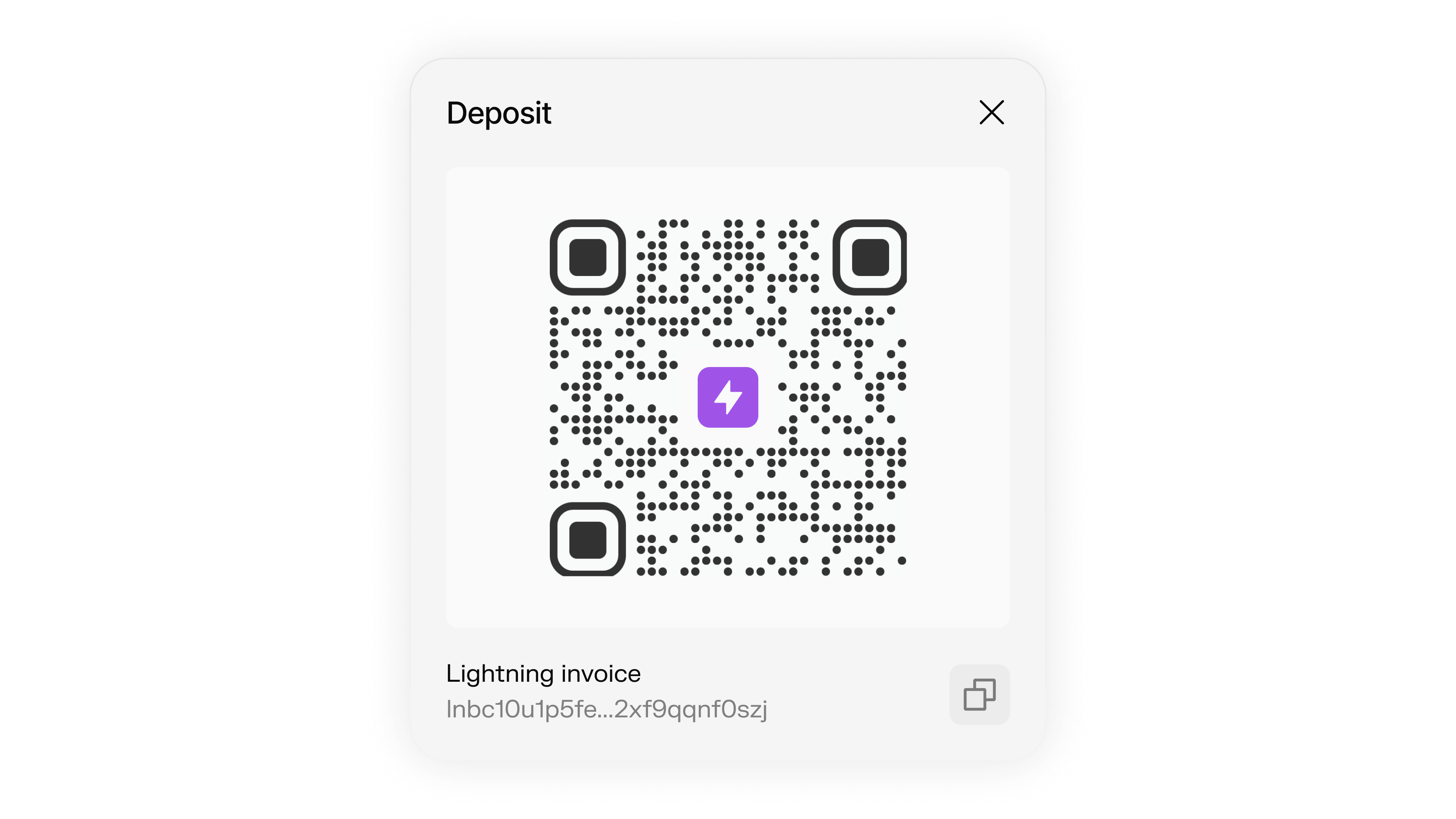
Receive Bitcoin via Lightning invoices with instant settlement into Spark.
 ***
## Understanding Lightning Invoices
To send and receive Lightning payments, you can generate and pay Lightning invoices. A Lightning invoice (also called a payment request) is a specially formatted string that contains all the information needed to make a Lightning Network payment:
* **Amount**: How many satoshis to send (can be omitted for zero-amount invoices)
* **Destination**: The recipient's node public key
* **Payment Hash**: A unique identifier for the payment
* **Description**: Optional memo describing the payment
* **Expiry**: How long the invoice is valid for (default 24 hours)
Lightning invoices start with "ln" followed by the network identifier (bc for mainnet) and typically look like this: `lnbc1...`
**Mainnet invoice Example:**
```
lnbcrt2500n1pj0ytfcpp5qqqsyqcyq5rqwzqfqypqhp58yjmdan79s6qqdhdzgynm4zwqdx40shp5jqp3qymd6qgpy99ppk0jqjzylqg5t7fhqhpl6s4kxmqgmrn59w5k0z0cqqqqqqzqqqqq9qsqqqqqq9qqqqqqgq9qsqxl9l55y5cwa9s2h8nvdh4h7h43tcwjdcysf7v0fprz5uh6vshs4n0tvhgzz2xgcqpg8yqv7
```
***
## Lightning Deposit Flow
The complete process for receiving Lightning payments into your Spark wallet:
Generate a Lightning invoice with the desired amount and description.
```typescript theme={null}
const invoice = await wallet.createLightningInvoice({
amountSats: 50000,
memo: "Deposit to Spark wallet"
});
```
Provide the invoice to the sender (via QR code, link, or text).
```typescript theme={null}
// Display invoice for user to share
console.log("Share this invoice:", invoice.invoice.encodedInvoice);
console.log("Or share this ID:", invoice.id);
```
Track the payment status until completion.
```typescript theme={null}
// Poll for payment status
const checkPayment = async (invoiceId) => {
const request = await wallet.getLightningReceiveRequest(invoiceId);
if (request.status === "TRANSFER_COMPLETED") {
console.log("Payment received:", request.amountReceived, "sats");
return true;
} else if (request.status === "expired") {
console.log("Invoice expired");
return false;
} else {
console.log("Payment pending...");
return false;
}
};
```
***
## Create Lightning Invoice
Generate Lightning invoices to receive Bitcoin payments that will be deposited into your Spark wallet.
createLightningInvoice(params)
Creates a Lightning invoice for receiving Bitcoin payments.
```typescript theme={null}
const invoice = await wallet.createLightningInvoice({
amountSats: 10000, // Amount in satoshis
memo: "Payment for services", // Optional description
includeSparkAddress: true // Optional: embed Spark address
});
console.log("Lightning invoice:", invoice.invoice.encodedInvoice);
console.log("Invoice ID:", invoice.id);
```
The amount in satoshis to request
Optional memo/description for the invoice (max 120 bytes). Cannot be used with `descriptionHash`.
Whether to embed Spark address in the invoice fallback field. Mutually exclusive with `includeSparkInvoice`.
Whether to include a Spark invoice in the invoice routing hints. Mutually exclusive with `includeSparkAddress`.
Optional: 33-byte compressed identity pubkey for other Spark users
Optional: Hash of a longer description (h tag). Used in LNURL/UMA. Cannot be used with `memo`.
Unique identifier for the invoice (e.g., `SparkLightningReceiveRequest:...`)
Lightning invoice object containing:
* `encodedInvoice`: The BOLT11-encoded string (e.g., `lnbc1...`)
* `bitcoinNetwork`: Network identifier (`MAINNET` or `REGTEST`)
* `paymentHash`: Unique payment identifier
* `amount`: Object with `originalValue` (millisatoshis) and `originalUnit`
* `createdAt`: Invoice creation timestamp
* `expiresAt`: Invoice expiration timestamp
* `memo`: Base64-encoded memo string
Invoice status (e.g., `INVOICE_CREATED`, `TRANSFER_COMPLETED`)
***
## Spark Payment Integration
Spark provides two ways to enable Spark-based payments alongside Lightning invoices:
### Option 1: Spark Invoice in Routing Hints
By setting `includeSparkInvoice: true`, a Spark invoice is embedded in the routing hints section of the BOLT11 invoice. This allows Spark-compatible wallets to automatically detect and pay over Spark instead of Lightning, providing a seamless user experience:
```typescript theme={null}
const invoice = await wallet.createLightningInvoice({
amountSats: 100,
memo: "Invoice with Spark support",
includeSparkInvoice: true,
});
console.log("Invoice with Spark routing:", invoice);
```
When a payer uses this invoice:
* Spark-compatible wallets can pay directly over Spark (faster, potentially lower fees)
* Non-Spark wallets will pay via Lightning as normal
* The payment is correlated to the original invoice
### Option 2: Spark Address in Fallback Field
By passing in `true` for `includeSparkAddress`, a 36-byte string consisting of a recognizable header and a receiver's compressed identity public key `SPK:identitypubkey` will get embedded in the fallback address (f) field of a BOLT11 invoice:
```typescript theme={null}
const invoice = await wallet.createLightningInvoice({
amountSats: 100,
memo: "Invoice with Spark address",
includeSparkAddress: true,
});
console.log("Invoice with Spark address:", invoice);
```
### Fallback Address Format
The embedded Spark address in the fallback field will look something like this:
```javascript theme={null}
{
version: 31,
address_hash: "53504b0250949ec35b022e3895fd37750102f94fe813523fa220108328a81790bf67ade5"
}
```
**Important:** These two options are mutually exclusive. You cannot use both `includeSparkAddress` and `includeSparkInvoice` in the same invoice.
***
## Creating Invoices for Other Spark Users
To generate an invoice for another Spark user, pass in the 33-byte compressed identity pubkey as a string to `receiverIdentityPubkey`:
```typescript theme={null}
const invoice = await wallet.createLightningInvoice({
amountSats: 100,
memo: "Invoice for another user",
receiverIdentityPubkey: "023e33e2920326f64ea31058d44777442d97d7d5cbfcf54e3060bc1695e5261c93",
});
console.log("Invoice for another user:", invoice);
```
If a wallet is generating an invoice for itself and wants to embed its own Spark identity in the invoice, it will not need to pass in a `receiverIdentityPubkey` to embed a Spark address. That will get taken care of on the backend. Passing it in shouldn't change anything though.
***
## Zero-Amount Invoices
Spark supports creating zero-amount Lightning invoices. Zero-amount invoices don't have a fixed amount and allow the sender to specify the amount when making the payment.
Zero-amount invoices are not widely supported across the Lightning Network. Some exchanges, such as Binance, currently do not support them.
### Creating Zero-Amount Invoices
To create a zero-amount invoice, pass `0` for the `amountSats` parameter:
```typescript theme={null}
// Create a zero-amount invoice
const zeroAmountInvoice = await wallet.createLightningInvoice({
amountSats: 0, // Creates a zero-amount invoice
memo: "Pay any amount you want",
});
console.log("Zero-amount Invoice:", zeroAmountInvoice);
```
***
## Monitor Lightning Payments
Track incoming Lightning payments and their status using receive request monitoring.
getLightningReceiveRequest(id)
Gets the status of a Lightning receive request by ID.
```typescript theme={null}
// Monitor a specific invoice
const receiveRequest = await wallet.getLightningReceiveRequest(invoiceId);
console.log("Payment status:", receiveRequest.status);
console.log("Amount received:", receiveRequest.amountReceived);
// Check if payment is complete
if (receiveRequest.status === "TRANSFER_COMPLETED") {
console.log("Payment received successfully!");
}
```
The ID of the Lightning receive request
The receive request details including status and amount
***
## Real-time Payment Monitoring
Use event listeners to monitor Lightning payments in real-time.
```typescript theme={null}
// Listen for transfer events (Lightning payments trigger transfer events)
wallet.on("transfer:claimed", (transferId, updatedBalance) => {
console.log(`Transfer ${transferId} claimed. New balance: ${updatedBalance} sats`);
});
```
***
## Understanding Lightning Invoices
To send and receive Lightning payments, you can generate and pay Lightning invoices. A Lightning invoice (also called a payment request) is a specially formatted string that contains all the information needed to make a Lightning Network payment:
* **Amount**: How many satoshis to send (can be omitted for zero-amount invoices)
* **Destination**: The recipient's node public key
* **Payment Hash**: A unique identifier for the payment
* **Description**: Optional memo describing the payment
* **Expiry**: How long the invoice is valid for (default 24 hours)
Lightning invoices start with "ln" followed by the network identifier (bc for mainnet) and typically look like this: `lnbc1...`
**Mainnet invoice Example:**
```
lnbcrt2500n1pj0ytfcpp5qqqsyqcyq5rqwzqfqypqhp58yjmdan79s6qqdhdzgynm4zwqdx40shp5jqp3qymd6qgpy99ppk0jqjzylqg5t7fhqhpl6s4kxmqgmrn59w5k0z0cqqqqqqzqqqqq9qsqqqqqq9qqqqqqgq9qsqxl9l55y5cwa9s2h8nvdh4h7h43tcwjdcysf7v0fprz5uh6vshs4n0tvhgzz2xgcqpg8yqv7
```
***
## Lightning Deposit Flow
The complete process for receiving Lightning payments into your Spark wallet:
Generate a Lightning invoice with the desired amount and description.
```typescript theme={null}
const invoice = await wallet.createLightningInvoice({
amountSats: 50000,
memo: "Deposit to Spark wallet"
});
```
Provide the invoice to the sender (via QR code, link, or text).
```typescript theme={null}
// Display invoice for user to share
console.log("Share this invoice:", invoice.invoice.encodedInvoice);
console.log("Or share this ID:", invoice.id);
```
Track the payment status until completion.
```typescript theme={null}
// Poll for payment status
const checkPayment = async (invoiceId) => {
const request = await wallet.getLightningReceiveRequest(invoiceId);
if (request.status === "TRANSFER_COMPLETED") {
console.log("Payment received:", request.amountReceived, "sats");
return true;
} else if (request.status === "expired") {
console.log("Invoice expired");
return false;
} else {
console.log("Payment pending...");
return false;
}
};
```
***
## Create Lightning Invoice
Generate Lightning invoices to receive Bitcoin payments that will be deposited into your Spark wallet.
createLightningInvoice(params)
Creates a Lightning invoice for receiving Bitcoin payments.
```typescript theme={null}
const invoice = await wallet.createLightningInvoice({
amountSats: 10000, // Amount in satoshis
memo: "Payment for services", // Optional description
includeSparkAddress: true // Optional: embed Spark address
});
console.log("Lightning invoice:", invoice.invoice.encodedInvoice);
console.log("Invoice ID:", invoice.id);
```
The amount in satoshis to request
Optional memo/description for the invoice (max 120 bytes). Cannot be used with `descriptionHash`.
Whether to embed Spark address in the invoice fallback field. Mutually exclusive with `includeSparkInvoice`.
Whether to include a Spark invoice in the invoice routing hints. Mutually exclusive with `includeSparkAddress`.
Optional: 33-byte compressed identity pubkey for other Spark users
Optional: Hash of a longer description (h tag). Used in LNURL/UMA. Cannot be used with `memo`.
Unique identifier for the invoice (e.g., `SparkLightningReceiveRequest:...`)
Lightning invoice object containing:
* `encodedInvoice`: The BOLT11-encoded string (e.g., `lnbc1...`)
* `bitcoinNetwork`: Network identifier (`MAINNET` or `REGTEST`)
* `paymentHash`: Unique payment identifier
* `amount`: Object with `originalValue` (millisatoshis) and `originalUnit`
* `createdAt`: Invoice creation timestamp
* `expiresAt`: Invoice expiration timestamp
* `memo`: Base64-encoded memo string
Invoice status (e.g., `INVOICE_CREATED`, `TRANSFER_COMPLETED`)
***
## Spark Payment Integration
Spark provides two ways to enable Spark-based payments alongside Lightning invoices:
### Option 1: Spark Invoice in Routing Hints
By setting `includeSparkInvoice: true`, a Spark invoice is embedded in the routing hints section of the BOLT11 invoice. This allows Spark-compatible wallets to automatically detect and pay over Spark instead of Lightning, providing a seamless user experience:
```typescript theme={null}
const invoice = await wallet.createLightningInvoice({
amountSats: 100,
memo: "Invoice with Spark support",
includeSparkInvoice: true,
});
console.log("Invoice with Spark routing:", invoice);
```
When a payer uses this invoice:
* Spark-compatible wallets can pay directly over Spark (faster, potentially lower fees)
* Non-Spark wallets will pay via Lightning as normal
* The payment is correlated to the original invoice
### Option 2: Spark Address in Fallback Field
By passing in `true` for `includeSparkAddress`, a 36-byte string consisting of a recognizable header and a receiver's compressed identity public key `SPK:identitypubkey` will get embedded in the fallback address (f) field of a BOLT11 invoice:
```typescript theme={null}
const invoice = await wallet.createLightningInvoice({
amountSats: 100,
memo: "Invoice with Spark address",
includeSparkAddress: true,
});
console.log("Invoice with Spark address:", invoice);
```
### Fallback Address Format
The embedded Spark address in the fallback field will look something like this:
```javascript theme={null}
{
version: 31,
address_hash: "53504b0250949ec35b022e3895fd37750102f94fe813523fa220108328a81790bf67ade5"
}
```
**Important:** These two options are mutually exclusive. You cannot use both `includeSparkAddress` and `includeSparkInvoice` in the same invoice.
***
## Creating Invoices for Other Spark Users
To generate an invoice for another Spark user, pass in the 33-byte compressed identity pubkey as a string to `receiverIdentityPubkey`:
```typescript theme={null}
const invoice = await wallet.createLightningInvoice({
amountSats: 100,
memo: "Invoice for another user",
receiverIdentityPubkey: "023e33e2920326f64ea31058d44777442d97d7d5cbfcf54e3060bc1695e5261c93",
});
console.log("Invoice for another user:", invoice);
```
If a wallet is generating an invoice for itself and wants to embed its own Spark identity in the invoice, it will not need to pass in a `receiverIdentityPubkey` to embed a Spark address. That will get taken care of on the backend. Passing it in shouldn't change anything though.
***
## Zero-Amount Invoices
Spark supports creating zero-amount Lightning invoices. Zero-amount invoices don't have a fixed amount and allow the sender to specify the amount when making the payment.
Zero-amount invoices are not widely supported across the Lightning Network. Some exchanges, such as Binance, currently do not support them.
### Creating Zero-Amount Invoices
To create a zero-amount invoice, pass `0` for the `amountSats` parameter:
```typescript theme={null}
// Create a zero-amount invoice
const zeroAmountInvoice = await wallet.createLightningInvoice({
amountSats: 0, // Creates a zero-amount invoice
memo: "Pay any amount you want",
});
console.log("Zero-amount Invoice:", zeroAmountInvoice);
```
***
## Monitor Lightning Payments
Track incoming Lightning payments and their status using receive request monitoring.
getLightningReceiveRequest(id)
Gets the status of a Lightning receive request by ID.
```typescript theme={null}
// Monitor a specific invoice
const receiveRequest = await wallet.getLightningReceiveRequest(invoiceId);
console.log("Payment status:", receiveRequest.status);
console.log("Amount received:", receiveRequest.amountReceived);
// Check if payment is complete
if (receiveRequest.status === "TRANSFER_COMPLETED") {
console.log("Payment received successfully!");
}
```
The ID of the Lightning receive request
The receive request details including status and amount
***
## Real-time Payment Monitoring
Use event listeners to monitor Lightning payments in real-time.
```typescript theme={null}
// Listen for transfer events (Lightning payments trigger transfer events)
wallet.on("transfer:claimed", (transferId, updatedBalance) => {
console.log(`Transfer ${transferId} claimed. New balance: ${updatedBalance} sats`);
});
```